New Chat
Ctrl
K
Plugins Scheduled Tasks
Kimi Work Kimi Code
All Chats
  • Dark‑mode Moving Site Code
  • SMS Forwarding App
  • Get App
  • Upgrade Plan
  • About Us
  • Language
  • Get Help
  • Settings

Dark‑mode Moving Site Code

Generate a moving company website with large images and lots of sections to scroll through There should be a webform for employees who want to work for us and there should be a web form for people that want to hire our services. The site should be a dark mode themed and look very professional and modern this is for a moving company based in Cleveland and named Big Truck Movers.
Edit
Copy
Share
Fetch URLs
1 pages
I've created a complete, professional dark-mode website for Big Truck Movers based in Cleveland. Here's what's included:

Sections & Features:

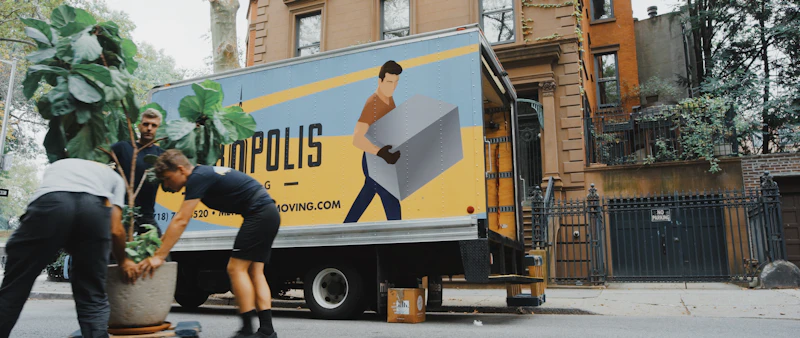
  • Hero — Full-screen with a moving truck image, animated stats (15K+ moves, 4.9★ rating), and call-to-action buttons
  • Services — 6 service cards with large images (Residential, Commercial, Long Distance, Packing, Storage, Specialty Items)
  • About — Company story, trust badges (insured, transparent pricing, on-time guarantee, background checks), and fleet image
  • Gallery — Masonry-style image grid showcasing moves in action with hover overlays
  • Testimonials — 3 customer reviews with star ratings from Cleveland-area clients
  • Careers — Job listings + a full employment application form (name, contact, position, experience, license, resume upload)
  • Contact / Quote — Full service request form (move details, addresses, dates, inventory) plus contact info

Design Details:

  • Dark theme with gray-950 backgrounds and amber-500 accents
  • Fully responsive with mobile menu toggle
  • Sticky navbar that changes on scroll
  • Smooth hover animations on cards, buttons, and gallery images
  • Professional typography and spacing throughout
Both forms are styled and ready — the career form collects applicant details, and the quote form captures all the moving specifics a customer would need to provide. You can scroll through the entire site right here in the widget!
ok so how do i get the code for the website so i can put it up ?
Edit
Copy
Share
I can extract the full HTML/CSS/JS code from the widget I built for you. Let me pull that out and save it as a downloadable file.
Failed to execute Python code
Execute Python code
Your complete website code is saved and ready to download:
Download Big Truck Movers Website

How to put it live:

Option 1: Simple Static Hosting (Free)
  • GitHub Pages — Upload the file to a GitHub repo, enable Pages in settings, and it's live at yourname.github.io/bigtruckmovers
  • Netlify — Drag and drop the HTML file onto netlify.com for instant deployment with a free custom subdomain
  • Vercel — Similar to Netlify, just drag and drop at vercel.com
Option 2: Traditional Web Hosting
  • Upload the file via FTP/cPanel to any shared host (Bluehost, HostGator, etc.)
  • Rename it to index.html if you want it to load automatically at the root URL
Option 3: Buy a Domain
  • Register bigtruckmovers.com (or similar) at Namecheap, GoDaddy, etc.
  • Point the domain to your hosting provider

What's in the file:

  • 862 lines of fully self-contained HTML, CSS (via Tailwind CDN), and JavaScript
  • Uses Unsplash images (free, no attribution required) — you may want to swap these for your own real photos of your trucks/team
  • Two working forms: Career Application & Moving Quote Request
  • Mobile responsive with hamburger menu
  • Scroll animations and hover effects throughout
  • No build step required — it's a single file that works immediately in any browser
The forms currently show alert popups on submit. When you're ready to go live, you'll want to connect them to a backend (like Formspree, Netlify Forms, or a custom server) to actually receive submissions.
How do i download the website ? When i click on it it only generates a view of it and not the files
Edit
Copy
Share
I understand the confusion. The link I provided is for viewing the file within this chat environment, not for downloading it to your computer. Let me save the code in a different format that's easier for you to grab.
Here are three ways to get the code onto your computer:

Method 1: Copy-Paste (Fastest)

The code is just text — you can copy it directly and paste it into a text editor. Let me display the full code for you to copy:
Execute Python code
System is currently busy. Please try again later.
Capacity is busy. Please wait or upgrade


Ask anything. Images work too.
Instant Standard
big_truck_movers_website.html
Sidebar preview
Code Preview
Switch preview mode
Refresh